Anchor text for internal links
By BeeRanked · October 6, 2026
Anchor text is the clickable wording of a link. On links between your own pages you choose every word of it, which makes it one of the few signals about a page that is entirely in your hands. Google's guidance on it is short and specific, and the two cases audit tools flag most often, generic anchors and links with no anchor at all, both come from ignoring it.
What Google says anchor text is for
Google's link best practices define it in one line: "This text tells people and Google something about the page you're linking to." The same page describes the target to aim for: "Good anchor text is descriptive, reasonably concise, and relevant to the page that it's on and to the page it links to."
It also gives a test you can run in a minute. "Try reading only the anchor text (out of context) and check if it's specific enough to make sense by itself." Open any article, read only the blue words, and see whether you could guess where each link goes.
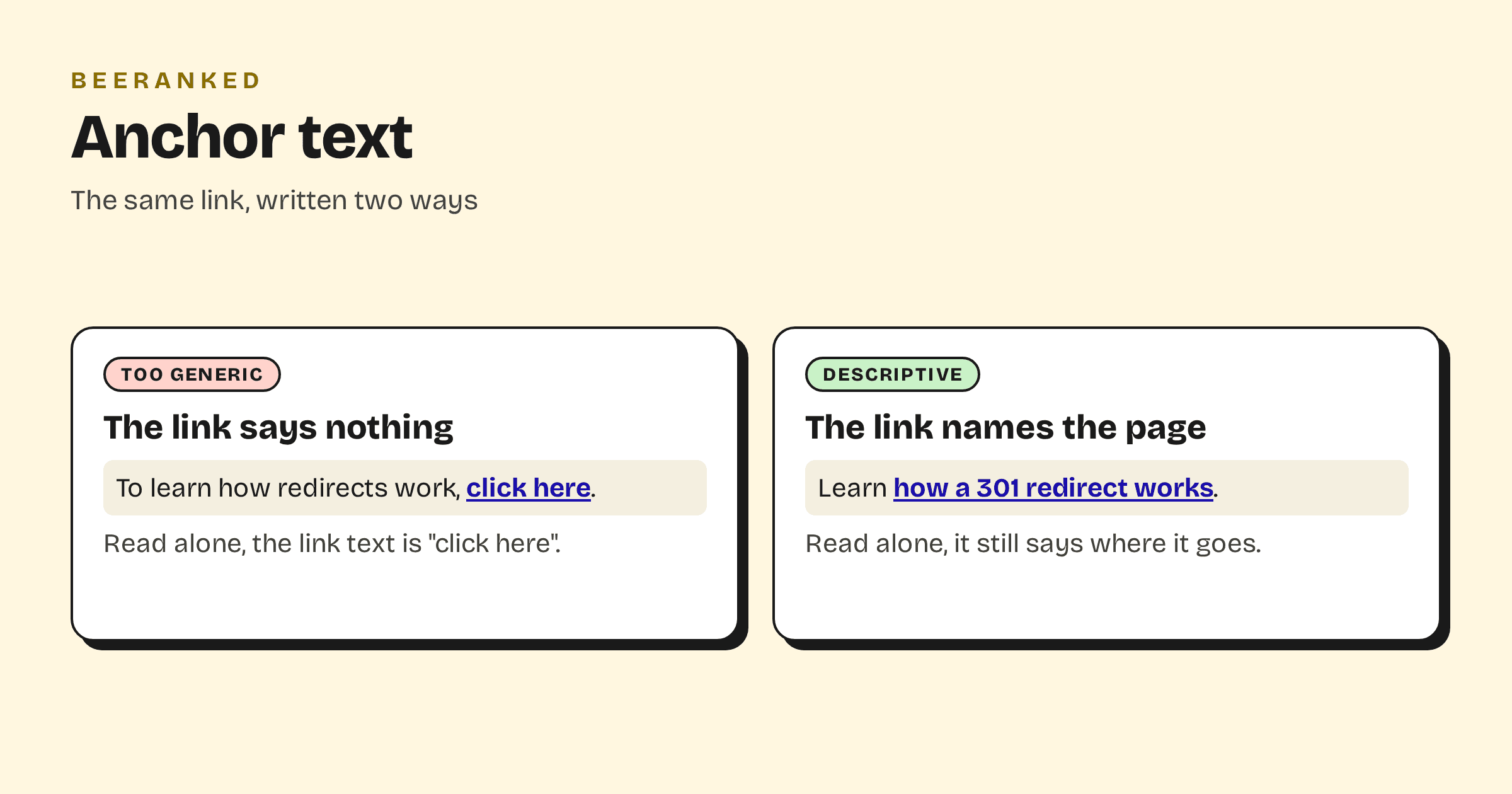
Generic anchors and how to rewrite them
Google lists "Click here", "Read more", "website" and "article" as examples of anchors that are too generic. The fix is rarely a new sentence. Move the link onto the words that already name the target.
"To learn how redirects work, click here" becomes "Learn how a 301 redirect works".
"We wrote about this, read more" becomes "We covered this in how to run an internal link audit".
The opposite mistake has its own label in Google's examples: "weirdly long". A whole sentence as a link tells the reader no more than three well-chosen words, and it is harder to scan.
Should internal anchors contain keywords?
They should contain the words that describe the target page, and those are usually the words people search for. That is as far as the advice goes. Google's page warns against pushing it further: "Write as naturally as possible, and resist the urge to cram every keyword that's related to the page that you're linking to."
In practice, vary the wording the way you would in conversation. If five articles link to your pricing guide, "pricing guide", "how we price" and "what it costs" are all fine. The same exact phrase pasted into every article reads as a template to people, and nothing in Google's guidance suggests it helps.
Google adds that the words around the link count as well: "the words before and after links matter, so pay attention to the sentence as a whole." It also advises against placing links directly next to each other, because each one loses its surrounding text.
Links with a missing anchor
Audit tools report "links with no anchor text" or "internal links with missing anchor". There are two common causes.
The first is an image used as a link. Google reads the image's alt attribute as the anchor text, so a linked logo or thumbnail with an empty alt is an empty anchor. Describe the destination in the alt text.
The second is an icon or an empty element wrapped in a link, often produced by a theme or a page builder. Google can fall back to the link's title attribute in that case, but a link with visible words is the dependable fix.
Either way the link still works for a visitor. What is lost is the description, for Google and for anyone using a screen reader.
Jump links inside a page
"Internal anchor" also means a link that jumps to a section of the same page, such as a table of contents entry pointing at #pricing. These help readers on long pages, and the same wording rule applies: the entry should name the section. They do not replace links between pages, which are what help Google discover and understand the rest of your site.
A fifteen-minute anchor check
Open your five most visited articles and read only the link text. Rewrite any link that does not say where it goes.
Look at the links pointing to the page you most want to rank. Your internal link audit lists them. If they all say "here" or "this post", rewrite them first.
Check linked images for empty alt text.
Make sure the page has links to it at all. Google's advice is that "every page you care about should have a link from at least one other page on your site", and a page with none is an orphan page.
There is no target number of links to hit. Google says so directly: "There's no magical ideal number of links a given page should contain."
Anchor text in BeeRanked
BeeRanked's internal links tool draws every link between your pages as a graph, so a page with few links pointing at it stands out at a glance. Links you add in the editor are plain links with the words you chose. When a page's URL changes, the links pointing to it are rewritten automatically and keep their anchor text. For the wider topic, read Internal linking for SEO, and the wiki entries on anchor text, link equity and the nofollow link.